Audio Control for Home Assistant
Turn your multi-room amplifier into something you can control from your phone, your dashboard and your automations — switch zones on and off, change the volume and the music source, all from Home Assistant.
Quickstart → Full step-by-step guide
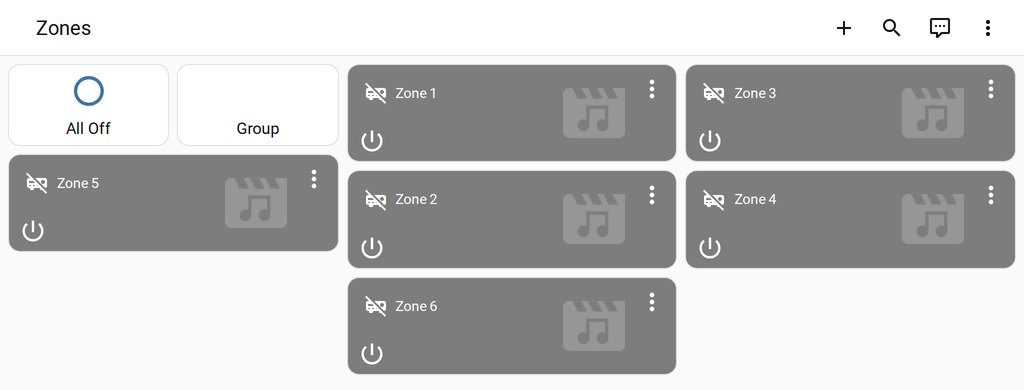
How it works

Home Assistant talks to your amplifier through its RS-232 control port (a small 9-pin connector on the back). Every zone becomes its own player in Home Assistant.
Works with
80 models from 11 brands — including:
| Brand | Models | Examples |
|---|---|---|
| AMC | 13 | X1616e, X86, X86i, DR-X86T… |
| Marantz | 5 | PM7000N, SR5015, SR6015, SR7015… |
| Monoprice | 8 | 31028, 10761, 39261, 44519… |
| NAD | 4 | C368, C388, C658, M10 |
| Oppo | 4 | UDP-203, UDP-205, BDP-103, BDP-105 |
| Rotel | 13 | Michi M8, Michi S5, RA-1572, RA-1592… |
| RTI | 5 | AD-4x, AD-8x, AD-46-100, AD-810-100… |
| Russound | 10 | CAV6.6, CAA66, CAS44, CAS66… |
| SpeakerCraft | 3 | MZC-64, MZC-66, MZC-88 |
| Xantech | 10 | MRC-88, MRC-88m, MRAUDIO8x8, MX88vi… |
| Yamaha | 5 | RX-A1080, RX-A2080, RX-A3080, RX-V685… |
What you can do
- Switch each zone on and off, change volume, mute, and pick the source
- Bass and treble on amplifiers that have them
- All zones off with one tap, and group mode (every room plays the same thing)
- Changes made on the amplifier's own keypads show up in Home Assistant too
- Use your zones in automations — e.g. turn everything off at midnight