2. Install Home Assistant
Already have Home Assistant? Skip to 3. Install HACS.
Home Assistant's own guide walks you through it with pictures — follow it exactly:
➜ Install Home Assistant on a Raspberry Pi
In short, you will:
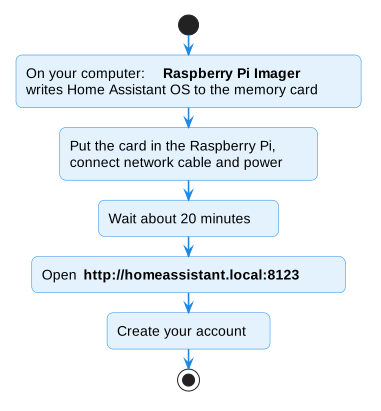
- Use the Raspberry Pi Imager app on your computer to put Home Assistant OS on the memory card.
- Put the card in the Raspberry Pi, connect the network cable and the power supply.
- Wait about 20 minutes, then open http://homeassistant.local:8123 in your web browser.
- Create your account and follow the welcome screens.
When you can see the Home Assistant dashboard, you're ready for the next step.
Using Docker instead?
If you run Home Assistant in Docker (also called Container), see Docker / Container installs — you'll need one extra setting so Home Assistant can see the USB adapter.
Next: 3. Install HACS